Certificate of Missionary Service
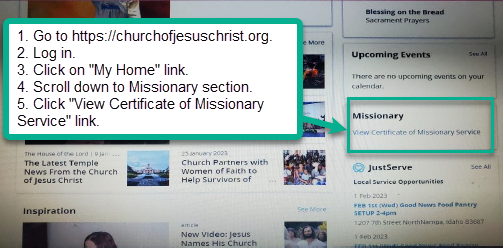
When a Senior Service Missionary is released, Church headquarters generates a Certificate of Missionary Service and mails or emails it to the missionary one business day after release. You can also download it from the Church website:
- Go to ChurchofJesusChrist.org.
- Sign in to your Church account.
- Select My Home.
- Scroll to the Missionary section.
- Select View Certificate of Missionary Service.